
Add a new page
Create About, Pricing, Schedule, or landing pages and link them in navigation.
Where to find it in Launchmiga
Builder top bar > Pages menu > + New page.
Why add a new page matters
Create About, Pricing, Schedule, or landing pages and link them in navigation. For a gym, yoga studio, pilates studio, personal trainer, CrossFit box, or other fitness business, this task is part of the full website conversion path: visitors need to understand the offer, trust the business, and know exactly what to do next. Use this page as a practical manual, not just a quick checklist. The workflow lives in Builder top bar > Pages menu > + New page.. When you update this part of the site, also check the mobile version, the primary CTA, the live visitor experience, and whether the page still supports your main goal: trial requests, intro class bookings, contact messages, or membership enquiries.
SEO, clarity, and conversion best practices
Keep the visible copy specific and searchable. Use plain phrases your customers would type into Google, such as gym in [city], yoga studio [city], personal trainer [city], pilates classes, trial class, membership prices, class schedule, beginner friendly training, or local fitness coaching. Relevant internal search tags for this guide include: page, new, menu. After you make the change, review the surrounding page. The visitor should see a clear headline, supporting proof, useful details, and a next step. For this workflow, focus on Click New page, Set the page slug and Add to navigation. If the task changes what appears on a published page, publish again and test the live URL in a fresh browser tab.
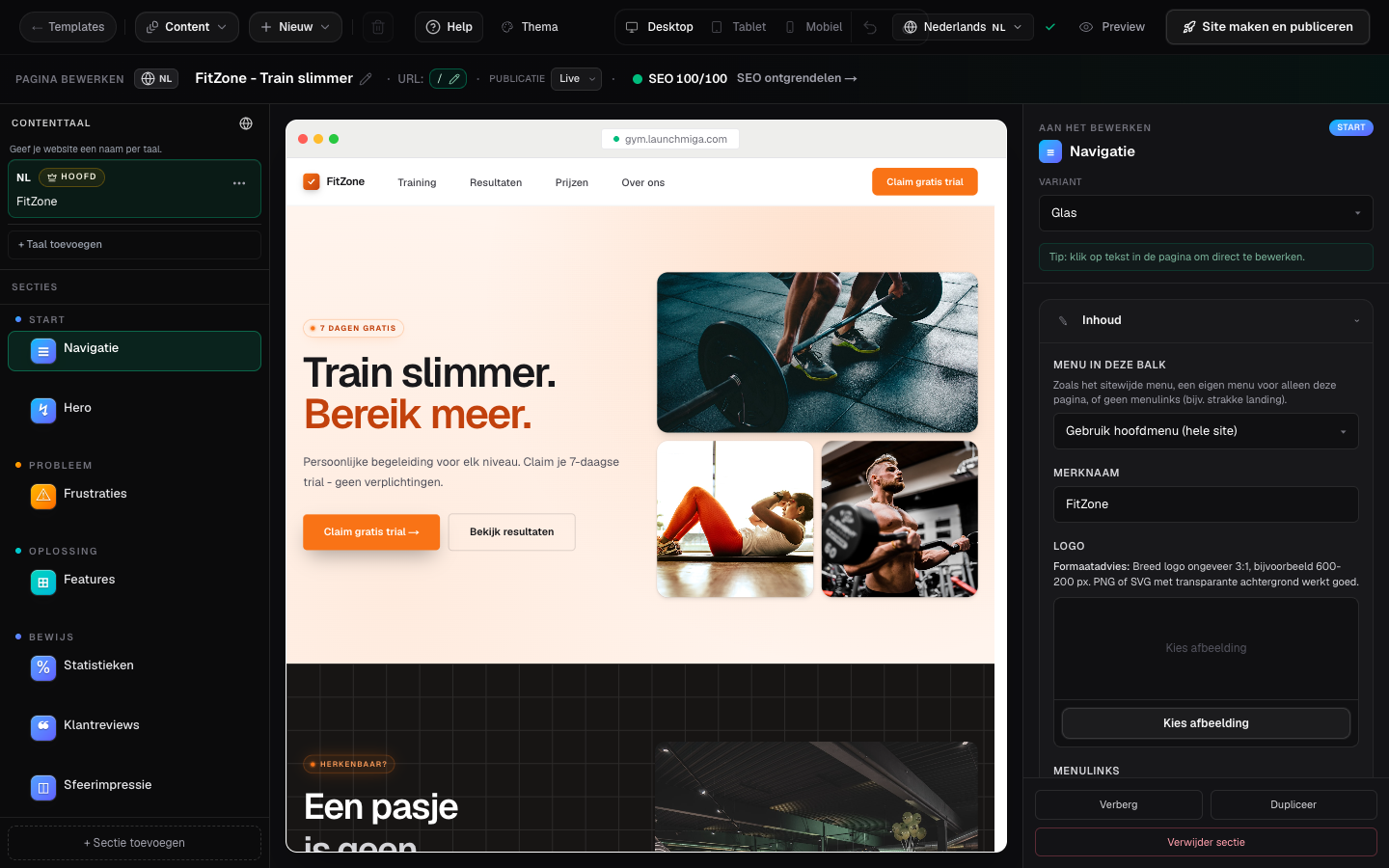
- 1
Click New page
Pick a starter layout or duplicate an existing page structure. Practical example 1: on a gym landing page, place the hero and proof section first, then pricing, FAQ, and lead form. Visitors should understand the offer before you ask for a trial request. When you finish this step, read the page as a visitor who searched for a local fitness solution. The copy should answer what this is, who it is for, why it is trustworthy, and what to do next.
- 2
Set the page slug
The URL path comes from SEO settings (e.g. /pricing). Keep it short and readable. Practical example 2: on a gym landing page, place the hero and proof section first, then pricing, FAQ, and lead form. Visitors should understand the offer before you ask for a trial request. When you finish this step, read the page as a visitor who searched for a local fitness solution. The copy should answer what this is, who it is for, why it is trustworthy, and what to do next.
- 3
Add to navigation
Edit the Navigation section and add a menu link to your new page. Practical example 3: on a gym landing page, place the hero and proof section first, then pricing, FAQ, and lead form. Visitors should understand the offer before you ask for a trial request. When you finish this step, read the page as a visitor who searched for a local fitness solution. The copy should answer what this is, who it is for, why it is trustworthy, and what to do next.