
Reorder, hide, or delete sections
Change section order and visibility without losing content permanently.
Where to find it in Launchmiga
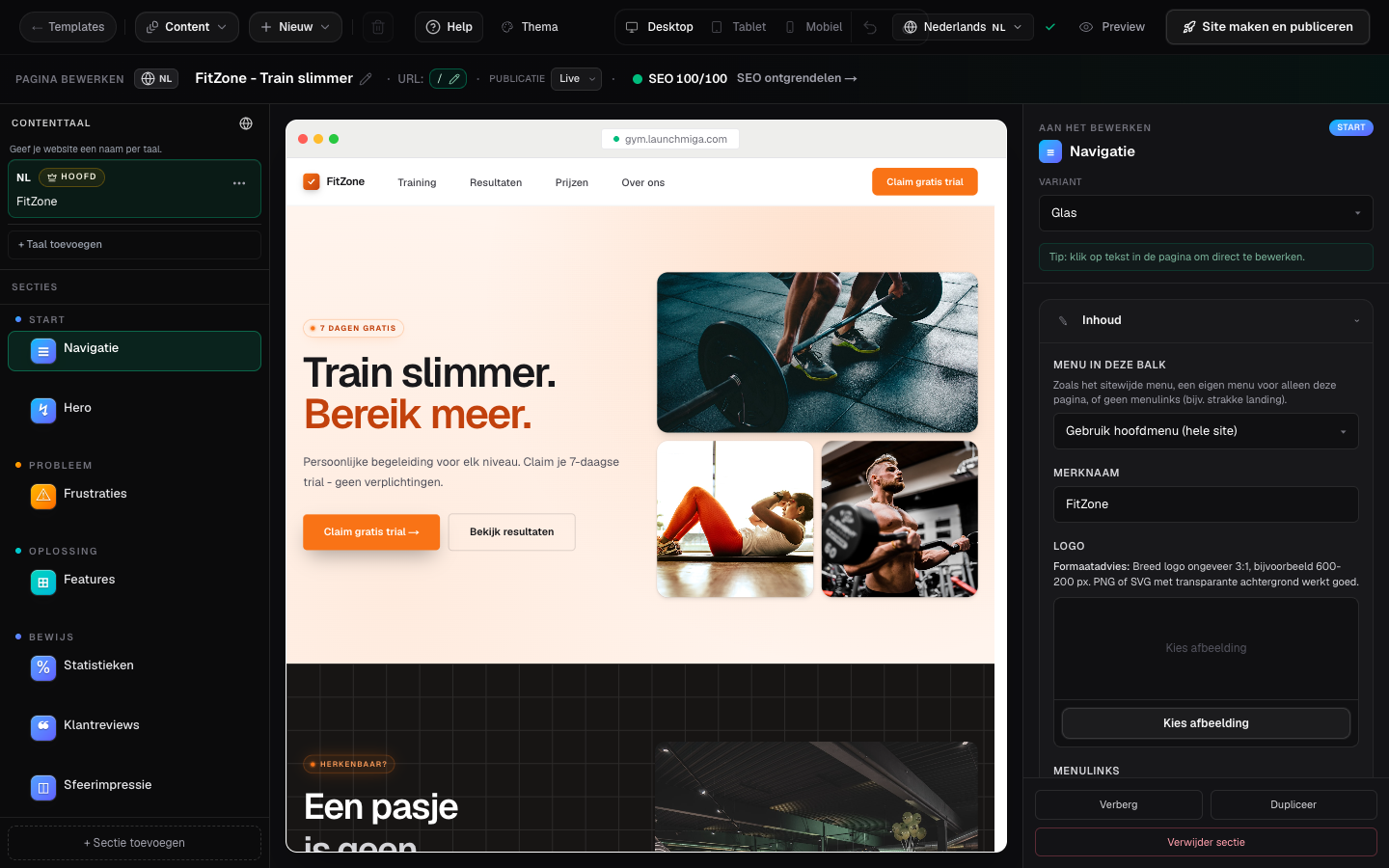
Builder left sidebar section list.
Why section order affects conversion and SEO
Section order is one of the easiest ways to improve a fitness website without redesigning the whole page. Visitors decide quickly whether a gym, yoga studio, pilates studio, personal trainer, or CrossFit box feels relevant. If the page starts with a vague hero, hides pricing too far down, or places the lead form before enough proof, visitors leave before they understand the offer. For SEO, section order also matters because the page should read like a clear answer to a search query. A page targeting "gym in Amsterdam" or "yoga studio Rotterdam" should first explain the local offer, then show proof, services, pricing or intro offer, FAQs, and a conversion form. When sections are in a logical order, headings, copy, and internal links make more sense to both visitors and search engines.
When to hide instead of delete
Hide a section when the content may come back later, when you want to compare page versions, or when a campaign is temporarily paused. For example, a gym might hide a summer challenge section after the campaign ends, while keeping the copy ready for next year. A yoga studio might hide an intro-week banner when the offer is fully booked. A trainer might hide a pricing block while updating packages. Delete a section only when you are sure the content is not useful anymore. Deleting keeps the builder cleaner, but it also removes the section content. If the section contains SEO copy, testimonials, pricing, FAQ answers, or a conversion CTA, check whether another section still covers that information before deleting it.
Recommended order for fitness landing pages
A strong homepage or landing page usually follows this order: navigation, hero with local offer and CTA, problem or pain-point section, solution or feature section, proof with testimonials or results, pricing or intro offer, FAQ, CTA banner, lead form, and footer. You can vary the exact sections, but the story should stay clear: who it is for, why it matters, why visitors can trust you, what it costs or what the first step is, and how to act now. After reordering, preview the page on mobile. Mobile visitors should meet a meaningful CTA every one or two screens after the hero. If the lead form disappears too far down the page, add a CTA banner or move a proof section above pricing so the page keeps momentum.
- 1
Drag to reorder
Grab the handle on a section row and drag up or down. Practical example 1: on a gym landing page, place the hero and proof section first, then pricing, FAQ, and lead form. Visitors should understand the offer before you ask for a trial request. When you finish this step, read the page as a visitor who searched for a local fitness solution. The copy should answer what this is, who it is for, why it is trustworthy, and what to do next.
- 2
Hide from live site
Toggle the eye icon. Hidden sections stay in the builder for later. Practical example 2: on a gym landing page, place the hero and proof section first, then pricing, FAQ, and lead form. Visitors should understand the offer before you ask for a trial request. When you finish this step, read the page as a visitor who searched for a local fitness solution. The copy should answer what this is, who it is for, why it is trustworthy, and what to do next.
- 3
Delete when sure
Use delete from the section menu. Undo restores if you act quickly. Practical example 3: on a gym landing page, place the hero and proof section first, then pricing, FAQ, and lead form. Visitors should understand the offer before you ask for a trial request. When you finish this step, read the page as a visitor who searched for a local fitness solution. The copy should answer what this is, who it is for, why it is trustworthy, and what to do next.