Website for a gym
A complete gym website manual for local SEO, trial requests, membership pricing, proof sections, and lead generation.
Where to find it in Launchmiga
Start at /website-templates/gym or Admin > Templates filtered by gym.
What a high-converting gym website needs
A strong gym website is not just a digital brochure. It should answer the exact questions people search before they visit a gym: "best gym near me", "gym membership prices", "personal training in [city]", "strength training for beginners", and "free trial gym [city]". The page needs to prove that your facility is active, local, trustworthy, and easy to try. For most gym owners the primary conversion goal should be a trial request or intro appointment. Keep the site focused on that goal. Your homepage should move from a clear hero, to local proof, to facilities and coaching, to pricing, to FAQ, and finally to a lead form. Launchmiga templates are built around that funnel so you do not have to design the structure from scratch.
SEO keywords gym owners should target
Use one primary keyword per page. For a homepage that is usually "gym in [city]", "fitness club in [city]", or "sportschool in [city]". Service pages can target "personal trainer [city]", "small group training [city]", "strength training [city]", "HIIT classes [city]", or "gym with coaching [city]". Blog posts can answer beginner questions such as "how often should beginners train" or "best workout plan for weight loss". Put the primary keyword in the page title, H1, first paragraph, meta description, and one or two section headings. Do this naturally. A title like "Gym in Utrecht for Strength Training, Coaching and Trial Classes" is stronger than a generic "Welcome to our gym" because it tells both Google and visitors what the page is about.
Recommended page structure
Start with a hero that says who you help, where you are, and what action visitors should take. Follow with problem or pain-point cards that match real objections: not knowing where to start, feeling intimidated, unclear prices, or lack of accountability. Then show your solution with coaching, equipment, class types, and onboarding steps. After that, add proof. Use testimonials, member results, facility photos, stats, and trust badges. Pricing should be clear enough to reduce anxiety, even if you still invite visitors to request a trial. Finish with FAQs about contracts, parking, beginner friendliness, opening hours, and what happens after a trial.
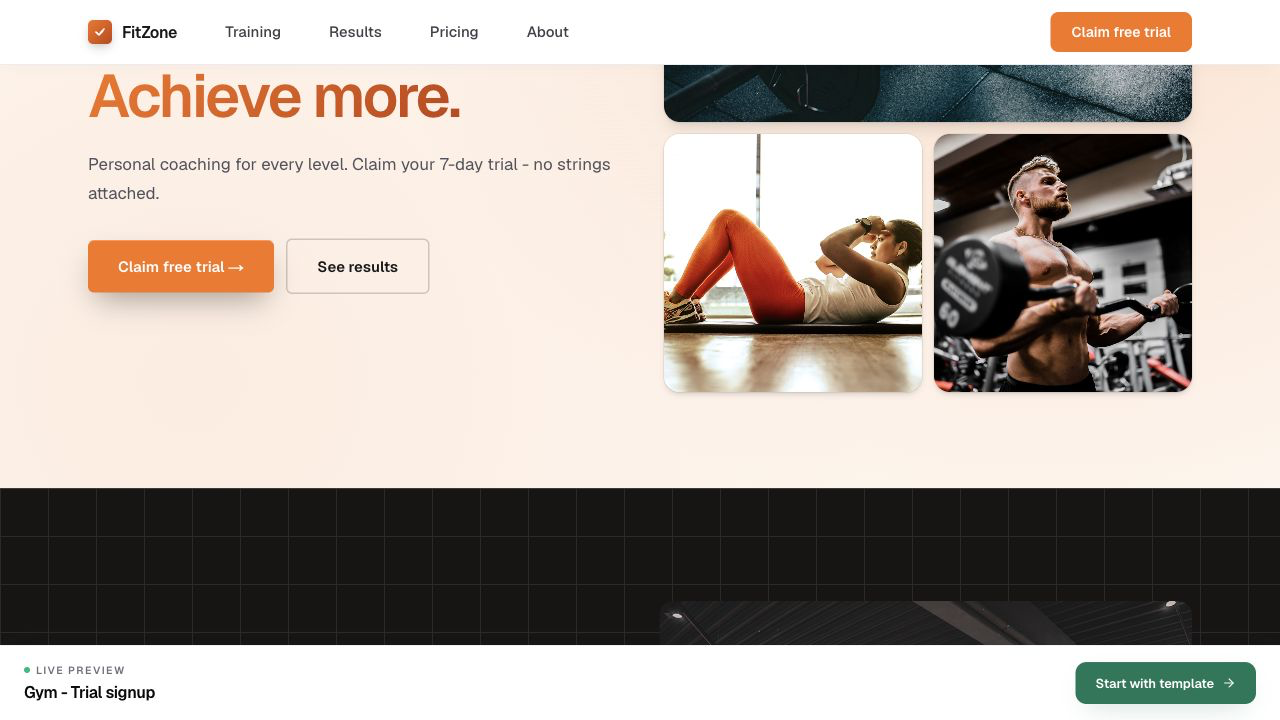
- 1
Pick a gym template
Choose a layout with hero, results, pricing, and lead form already wired. Practical example 1: a personal trainer page needs different proof than a yoga studio. Choose keywords, testimonials, and CTAs that fit the business type. When you finish this step, read the page as a visitor who searched for a local fitness solution. The copy should answer what this is, who it is for, why it is trustworthy, and what to do next.
- 2
Localize proof and pricing
Swap photos for your facility, update membership tiers, and set city names in SEO. Practical example 2: a personal trainer page needs different proof than a yoga studio. Choose keywords, testimonials, and CTAs that fit the business type. When you finish this step, read the page as a visitor who searched for a local fitness solution. The copy should answer what this is, who it is for, why it is trustworthy, and what to do next.
- 3
Connect tracking
Add GA4 and Meta Pixel to measure ad traffic to trial submissions. Practical example 3: a personal trainer page needs different proof than a yoga studio. Choose keywords, testimonials, and CTAs that fit the business type. When you finish this step, read the page as a visitor who searched for a local fitness solution. The copy should answer what this is, who it is for, why it is trustworthy, and what to do next.