Choose the right template
Compare gym, yoga, pilates, studio, and trainer templates by search intent, funnel structure, proof, and conversion goal.
Where to find it in Launchmiga
Admin > Templates or the public gallery at /website-templates.
Choose by business model and search intent
A template should match what your visitors are trying to solve. Gym visitors often compare price, equipment, coaching, opening hours, and trial options. Yoga visitors often compare atmosphere, beginner friendliness, class styles, schedule, and intro offers. Personal trainer visitors compare trust, transformation proof, method, and intake options. That is why the best template is not always the one with your favorite colors. Choose the layout that already answers the right objections. You can change colors, fonts, photos, and wording later, but changing the full funnel takes more work.
SEO checklist while comparing templates
Look for natural places to add your city, neighborhood, service names, class types, and frequently asked questions. A template that has sections for pricing, testimonials, FAQ, and lead capture gives you more indexable content than a visual-only design. For example, a gym template should let you mention "strength training", "personal training", "group classes", and "gym membership". A yoga template should make room for "beginner yoga", "yin yoga", "vinyasa", and "intro class". These phrases should appear in useful copy, not in keyword stuffing.
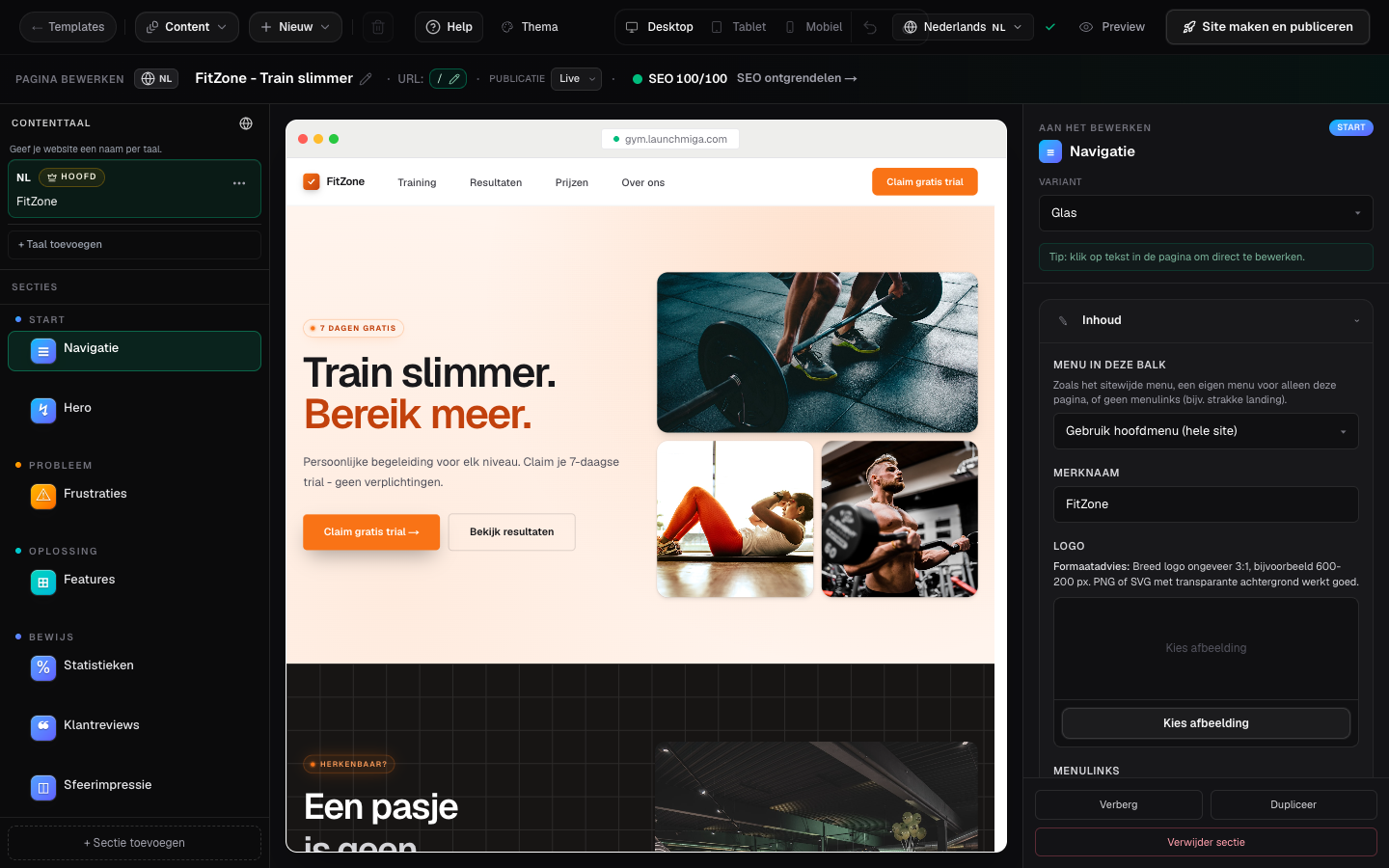
- 1
Filter by industry
Use category chips (gym, yoga, coaching, combat sports) to narrow the gallery. Practical example 1: always test the change on mobile and desktop, and check whether the main CTA is still visible and logical. When you finish this step, read the page as a visitor who searched for a local fitness solution. The copy should answer what this is, who it is for, why it is trustworthy, and what to do next.
- 2
Preview live layout
Open preview to scroll the full funnel: hero, proof, pricing, form, and FAQ. Practical example 2: always test the change on mobile and desktop, and check whether the main CTA is still visible and logical. When you finish this step, read the page as a visitor who searched for a local fitness solution. The copy should answer what this is, who it is for, why it is trustworthy, and what to do next.
- 3
Start editing
Click Use template. On desktop you go straight to the builder; on mobile you may see a short onboarding first. Practical example 3: always test the change on mobile and desktop, and check whether the main CTA is still visible and logical. When you finish this step, read the page as a visitor who searched for a local fitness solution. The copy should answer what this is, who it is for, why it is trustworthy, and what to do next.