
Connect your Google reviews
Show reviews from your own Google Business Profile in your website's style.
Where to find it in Launchmiga
Builder > select a Reviews section > Review source > Google reviews.
Google reviews are included from Ignite by default. Your available plans determine access. If locked, select Google reviews to open the upgrade window. After a downgrade without this feature, Google reviews stop appearing on your site. Manual reviews remain available.
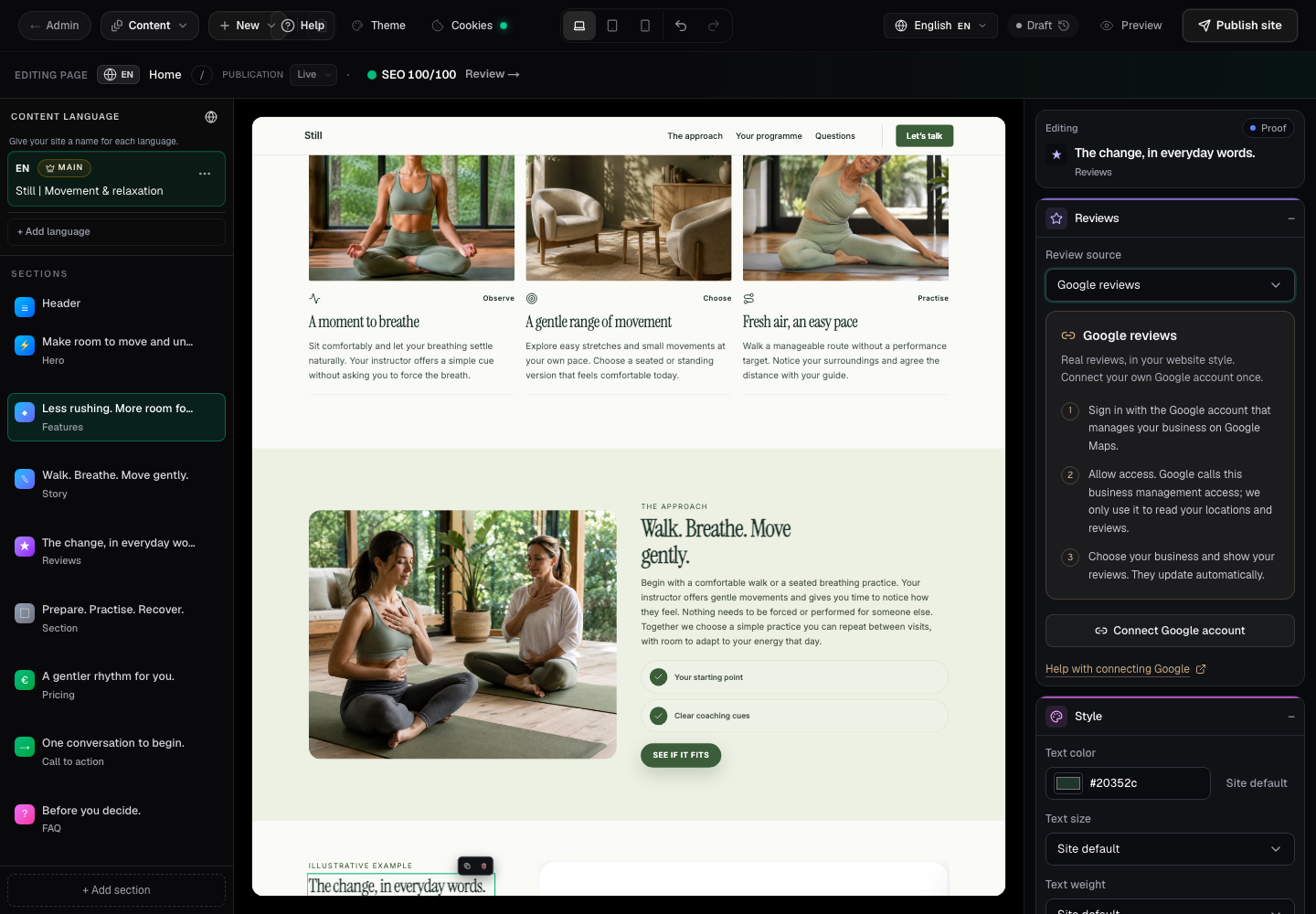
- 1
Connect your own Google account
Choose Google reviews and click Connect Google account. Sign in with the account that owns or manages your business on Google Maps. Allow pop-up windows if the Google window does not open. You do not need to create an API key.
- 2
Give permission and choose your location
Google asks for business management access. The integration only reads your locations and reviews. Return to the builder, choose the right business and click Show these Google reviews. If no business appears, use another Google account or ask the owner to add you as a manager. Your business must be verified on Google.
- 3
Check and publish
Choose 3, 6, 9 or 12 reviews. The newest updated reviews appear without filtering by star rating. Check mobile and desktop previews, then publish. Reviews refresh automatically while your site is visited. If Google is temporarily unavailable, recent reviews can remain visible for up to 24 hours; otherwise the live review section is hidden. A business without reviews stays hidden until reviews become available.
- 4
Switch back or disconnect
Choose Add manually to restore your saved manual reviews in this section. Disconnect Google stops review access for every page on this website. You can also revoke permission in your Google account settings. If permission expires, reconnect in the builder. If Google reviews are not available yet, contact support; the platform registration must first be activated.